2026
R
الولايات المتحدة
PC Game
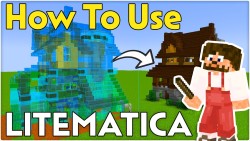
Litematica is a super helpful Minecraft mod that allows you to import 3D blueprints into the game to help with building! In this tutorial, I teach you how to use Litematica in Minecraft 26.2
How To Download and Install Litematica: https://youtu.be/edKqN43QGdE
▬▬▬▬▬▬▬▬▬▬▬▬▬▬▬▬▬▬▬▬▬▬▬▬▬▬
Set up your Shockbyte Server here: https://shockbyte.com/r/saminup
Use code: SAMINUP for 25% off!
I really hope you enjoyed this video, if you did please let me know in the comments and tell me what similar videos you'd like to see in the future!
▬▬▬▬▬▬▬▬▬▬▬▬▬▬▬▬▬▬▬▬▬▬▬▬▬▬
How To Download and Install Fabric For Minecraft 26.2: https://youtu.be/BkKP1ns6NpU
Support me on Patreon: https://patreon.com/SaminUP?utm_medium=clipboard_copy&utm_source=copyLink&utm_campaign=creatorshare_creator&utm_content=join_link
▬▬▬▬▬▬▬▬▬▬▬▬▬▬▬▬▬▬▬▬▬▬▬▬▬▬
Play on my Minecraft server HavenMC using the IP:
Java: play.havenmc.co.uk
▬▬▬▬▬▬▬▬▬▬▬▬▬▬▬▬▬▬▬▬▬▬▬▬▬▬
My socials:
▸Twitch: https://www.twitch.tv/SaminUP
▸Instagram: https://www.instagram.com/SaminUP_yt/
▬▬▬▬▬▬▬▬▬▬▬▬▬▬▬▬▬▬▬▬▬▬▬▬▬▬
Video Chapters:
00:00 - Intro
00:09 - 2 Main Parts
00:28 - Subscribe!
00:34 - Part 1: Creating the Schematic
00:38 - Using the Stick
01:31 - Saving Your Selection
02:46 - Accessing your Schematics Folder
03:27 - Part 2: Importing the Schematic
04:03 - Positioning your Schematic
04:41 - Survival Tips
05:42 - What the Colours Mean
06:05 - Pasting a Build
06:53 - Unloading the Schematic
07:05 - Subscribe!
▬▬▬▬▬▬▬▬▬▬▬▬▬▬▬▬▬▬▬▬▬▬▬▬▬▬
Thank you so much for watching and don't forget to subscribe if you enjoyed the video!
More


 استمتع بأفلام وبرامج بلا حدود
 حمل ما تحب وشاهد بدون إنترنت
 واجهة بسيطة وأداء سلس