2025
R
Estados Unidos
PC Game
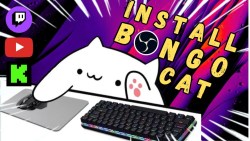
In this video I showed you guys how to install bongo cat plugin for obs correctly. I realised that the latest versions of OBS have changed the way that plugins get installed. or at least the way this BongOBS cat plugin gets installed.
To add a Bongo Cat plugin to OBS (Open Broadcaster Software), there is an actual plugin specifically designed for this purpose called Bongo Cat OBS Plugin. It allows you to bring the Bongo Cat meme directly into your stream with sound and animation without having to manually add media files.
Here's how you can add it:
Steps to Add the Bongo Cat Plugin to OBS:
Download the Plugin:
Go to the official GitHub repository for the Bongo Cat plugin. It can be found here:
Bongo Cat OBS Plugin GitHub
Download the latest release from the "Releases" section on GitHub (usually a .zip file).
Extract the Files:
After downloading the .zip file, extract it to a location on your computer.
Install the Plugin:
Inside the extracted folder, there will be a set of files to install the plugin into your OBS folder:
Windows:
Copy the contents of the "obs-plugins" folder and paste them into the corresponding folder in your OBS installation directory (usually C:\Program Files\obs-studio\obs-plugins\64bit).
Mac:
Copy the plugin files to /Library/Application Support/obs-studio/plugins/ or the relevant directory depending on your installation.
Restart OBS:
Once the plugin files are in the correct folder, restart OBS.
Activate the Plugin:
Open OBS and create a new scene or go to an existing one.
Click the + button in the "Sources" box and you should now see a new option called “Bongo Cat” under Sources.
Select Bongo Cat and adjust the settings such as the position, animation speed, and sound.
Customize:
You can set the plugin to be triggered by a hotkey, or even have it play when certain events happen (like a donation or follower alert).
You can also adjust the appearance of Bongo Cat to suit your stream’s aesthetic.
More


 Mag-enjoy sa walang hanggang pelikula at palabas
 I-download ang paborito mong palabas para panoorin offline
 Simpleng disenyo at maayos na takbo