2025
R
संयुक्त राज्य अमेरिका
PC Game
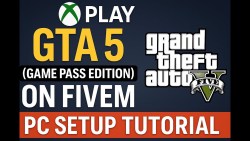
Want to play GTA 5 (Legacy) from Xbox Game Pass on PC using FiveM servers? This step-by-step tutorial walks you through downloading GTA 5 from the Xbox App, linking it to Rockstar, and launching it with FiveM — no extra purchase needed if you have Game Pass!
🔧 Step-by-Step Instructions:
1. Download GTA 5 (Legacy Edition)
→ Use the Xbox App on Windows
→ Right-click GTA5 → Manage → Files → Browse
2. Install Rockstar Games Launcher
🔗 https://www.rockstargames.com/newswire
3. Link Rockstar with your Xbox Account
🔗 https://signin.rockstargames.com/signin/user-form
4. Confirm GTA 5 appears in Rockstar Launcher Library
5. Download & Install FiveM
🔗 https://fivem.net/
6. Launch FiveM and locate the GTA5 .exe from XboxGames install folder
7. Fix "elevated permissions" error
→ Right-click GTA5 Legacy folder
→ Properties → Security → Authenticated Users → Edit → Check "Full Control" → Apply
📱 Follow Me for More Tutorials
🔗 YouTube: @DudeJayStarr
🔗 Facebook: https://www.facebook.com/profile.php?...
🔗 Linktree: https://linktr.ee/dudejaystarr
More


 बिना रुकावट फिल्में और शो देखें
 अपना पसंदीदा कंटेंट डाउनलोड करो ताकि ऑफ़लाइन देख सको
 सिंपल इंटरफ़ेस & स्मूथ परफॉर्मेंस