2025
R
Amerika Serikat
PC Game
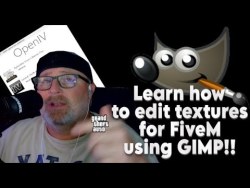
Want to learn how to edit EUP textures for FiveM the right way? In this video, I’ll show you step-by-step how to use GIMP to create, modify, and apply custom textures to your uniforms. Whether you’re building realistic law enforcement packs or designing unique roleplay outfits, this guide will walk you through the tools and tricks you need. Make sure you’ve got OpenIV to access your GTA V files and GIMP for editing textures—both linked below—so you can follow along with ease.
👇 Helpful Links Mentioned in the Video 👇
OpenIV - https://www.gta5-mods.com/tools/openiv
GIMP - https://www.gimp.org/downloads/
💬 Got questions? Drop them in the comments, and I’ll be glad to help!
🔗 Follow Me Everywhere:
🎮 Twitch: https://www.twitch.tv/brendonsapp157
🎵 TikTok: https://www.tiktok.com/@brendonsapp157
_
🐦 Twitter/X: https://x.com/DeputyBrendon
📸 Instagram: https://www.instagram.com/brendonsapp157
🎥 Kick: https://kick.com/brendonsapp157
If you're feeling generous, I am currently rebuilding my streaming PC since it decided to die!
PayPal - BrendonSapp
Venmo - @BrendonSapp
CashApp - $GeorgiaViking
https://brendonsapp157-shop.fourthwall.com
More


 Nikmati film dan acara tanpa batas
 Download konten favorit untuk ditonton offline
 Tampilan mudah, lancar dipakai